
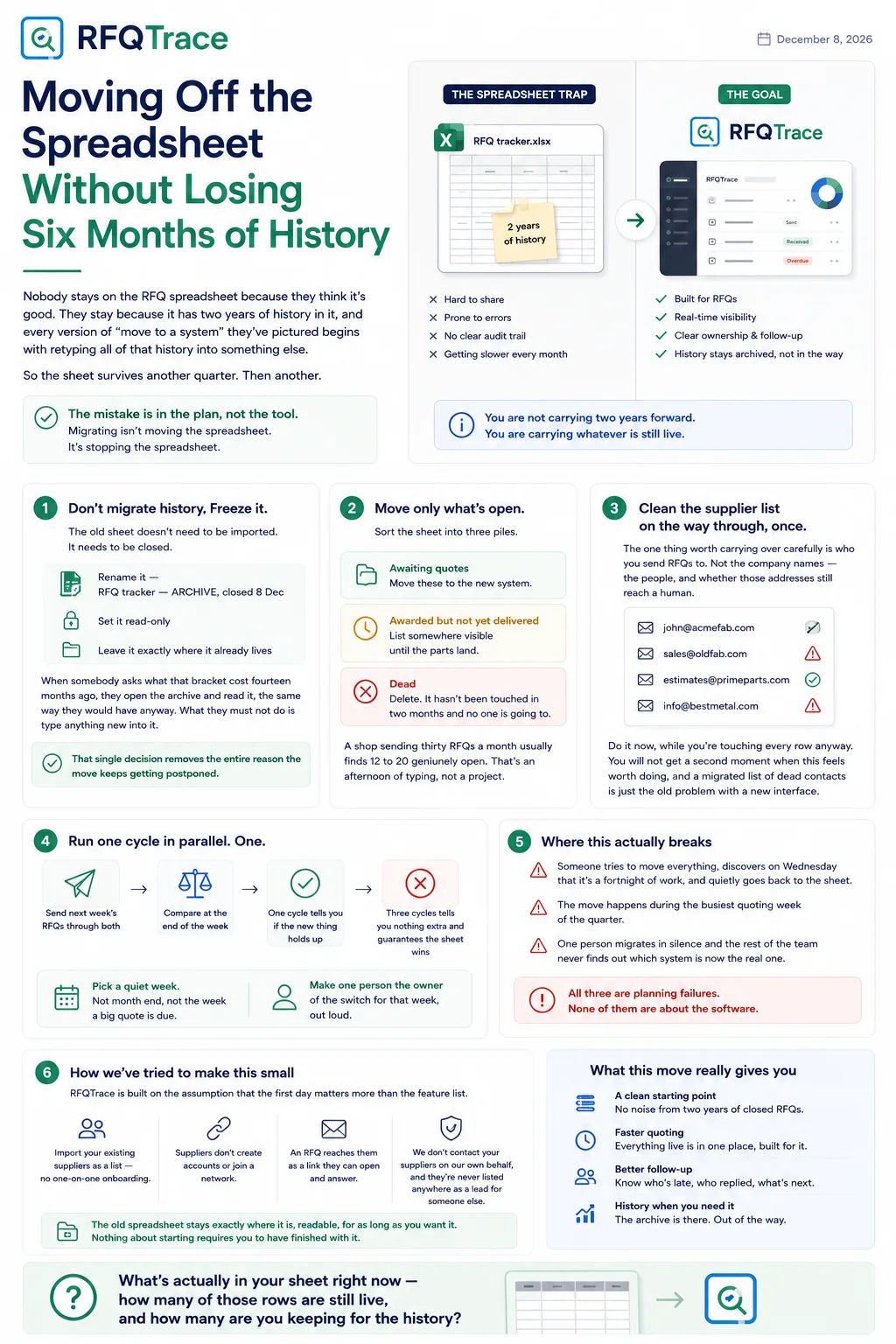
Nobody stays on the RFQ spreadsheet because they think it's good. They stay because it has two years of history in it, and every version of "move to a system" they've pictured begins with retyping all of that history into something else.
So the sheet survives another quarter. Then another.
The mistake is in the plan, not the tool. Migrating isn't moving the spreadsheet. It's stopping the spreadsheet.
Don't migrate history. Freeze it.
The old sheet doesn't need to be imported. It needs to be closed.
Rename it — RFQ tracker — ARCHIVE, closed 8 Dec — set it read-only, and
leave it exactly where it already lives. When somebody asks what that bracket
cost fourteen months ago, they open the archive and read it, the same way they
would have anyway. What they must not do is type anything new into it.
That single decision removes the entire reason the move keeps getting postponed. You are not carrying two years forward. You are carrying whatever is still live, which is a much smaller number than it feels like.
Move only what's open
Sort the sheet into three piles. Awaiting quotes. Awarded but not yet delivered. Dead — the ones nobody has touched in two months and nobody is going to.
Only the first pile moves. The second pile you list somewhere visible until the parts land. The third pile you delete, and if that makes you nervous, remember it's in the archive.
A shop sending thirty RFQs a month usually finds twelve to twenty genuinely open. That's an afternoon of typing, not a project — and it's the honest size of the job everyone has been avoiding.
Clean the supplier list on the way through, once
The one thing worth carrying over carefully is who you send RFQs to. Not the company names — the people, and whether those addresses still reach a human.
Do it now, while you're touching every row anyway. You will not get a second moment when this feels worth doing, and a migrated list of dead contacts is just the old problem with a new interface.
Run one cycle in parallel. One.
Send the next week's RFQs through both, then compare at the end of the week. One cycle tells you whether the new thing holds up. Three cycles tells you nothing extra and guarantees the sheet wins, because running two systems is miserable and the familiar one is where people retreat.
Pick a quiet week. Not month end, not the week a big quote is due. And make it one person's job to own the switch for that week, out loud, so it isn't something everybody assumes somebody else is doing.
Where this actually breaks
It breaks when someone tries to move everything, discovers on Wednesday that it's a fortnight of work, and quietly goes back to the sheet. It breaks when the move happens during the busiest quoting week of the quarter. It breaks when one person migrates in silence and the rest of the team never finds out which system is now the real one.
All three are planning failures. None of them are about the software.
How we've tried to make this small
RFQTrace is built on the assumption that the first day matters more than the feature list. Suppliers you already work with get imported as a list rather than onboarded one at a time. They don't create accounts or accept an invitation to a network — an RFQ reaches them as a link they can open and answer, so nothing about your migration lands on them as work.
And the old spreadsheet stays exactly where it is, readable, for as long as you want it. Nothing about starting requires you to have finished with it.
What's actually in your sheet right now — how many of those rows are still live, and how many are you keeping for the history?